
Snowpark: Data Processing within Snowflake's Environment

Snowflake introduced Snowpark as an abstraction layer, allowing users to interact with Snowflake’s environment using familiar dataframe APIs. But with popular libraries like Pandas and Spark already offering powerful dataframe capabilities, you might wonder:
What does Snowpark bring to the table that’s different?
If Snowpark Allows Us to Interact with Snowflake Using Dataframe API, How Is It Different from Pandas or Spark Framework?
Let’s explore and understand the differences between dataframes in Pandas, Spark, and Snowpark.
Exploring Pandas, Spark, and Snowpark: Three Approaches to Dataframes
When working with data, dataframes are fundamental for manipulation and transformation. But not all dataframes operate the same way. Pandas, Apache Spark, and Snowflake’s Snowpark each offer unique approaches to processing data, suited for different environments and use cases.
Let’s dive into how each handles data, their strengths and limitations, and, crucially, how Snowpark translates dataframe operations directly into SQL, which you can inspect within Snowflake.
Pandas: A Library for Local Data Processing
Pandas is a powerful Python library often used for data manipulation and analysis. With a Pandas dataframe, all data processing happens locally, meaning it runs directly on your machine. The downside is that you’re limited by your machine’s memory.
When you load data with Pandas, it’s stored in your system’s RAM.
For instance, if your machine has 8GB of RAM but you’re trying to process a 10GB dataset, you’ll encounter an “Out of Memory” (OOM) error.
Here’s how loading and manipulating data looks in Pandas:
import pandas as pd

# Load data into a Pandas DataFrame
df = pd.read_csv("large_dataset.csv")

# Perform a simple data manipulation
df['new_column'] = df['existing_column'] * 2
While Pandas is a great tool for small to medium-sized datasets, the memory limitation can become a barrier for larger datasets.
Spark: A Framework for Distributed Data Processing
To address the single-machine limitation faced by Pandas, Spark was developed as a distributed data processing framework. With Spark, data processing happens across a cluster of machines, allowing it to handle large datasets more efficiently.
Using Spark’s dataframe API (which closely resembles Pandas), you can distribute your data and computations across multiple nodes.
In Spark, your local machine serves as a “driver” that coordinates the work, while the actual data processing happens in the cluster. This distributed setup allows Spark to prevent OOM errors by spreading the workload across nodes.
However, Spark can still encounter issues like data skew, shuffle overhead, and resource contention problems that require careful tuning and sometimes adding cluster resources.
Here's how Spark works with dataframes:
from pyspark.sql import SparkSession

# Initialize Spark session
spark = SparkSession.builder.appName("SparkDataFrameExample").getOrCreate()

# Load data into a Spark DataFrame
df = spark.read.csv("large_dataset.csv", header=True, inferSchema=True)

# Perform a simple data manipulation
df = df.withColumn("new_column", df["existing_column"] * 2)

# Show results
df.show()
By distributing data across the cluster, Spark is ideal for handling massive datasets. Still, it’s essential to monitor and adjust configurations to mitigate issues like data skew and shuffle overhead.
Snowpark: SQL-Based Data Processing in Snowflake
Snowflake introduced Snowpark as a way to use dataframe-style operations that are translated into SQL commands, executing within Snowflake’s virtual warehouse. This SQL-based approach eliminates the complexities of distributed frameworks like Spark and the memory limitations of Pandas by relying on Snowflake’s query engine.
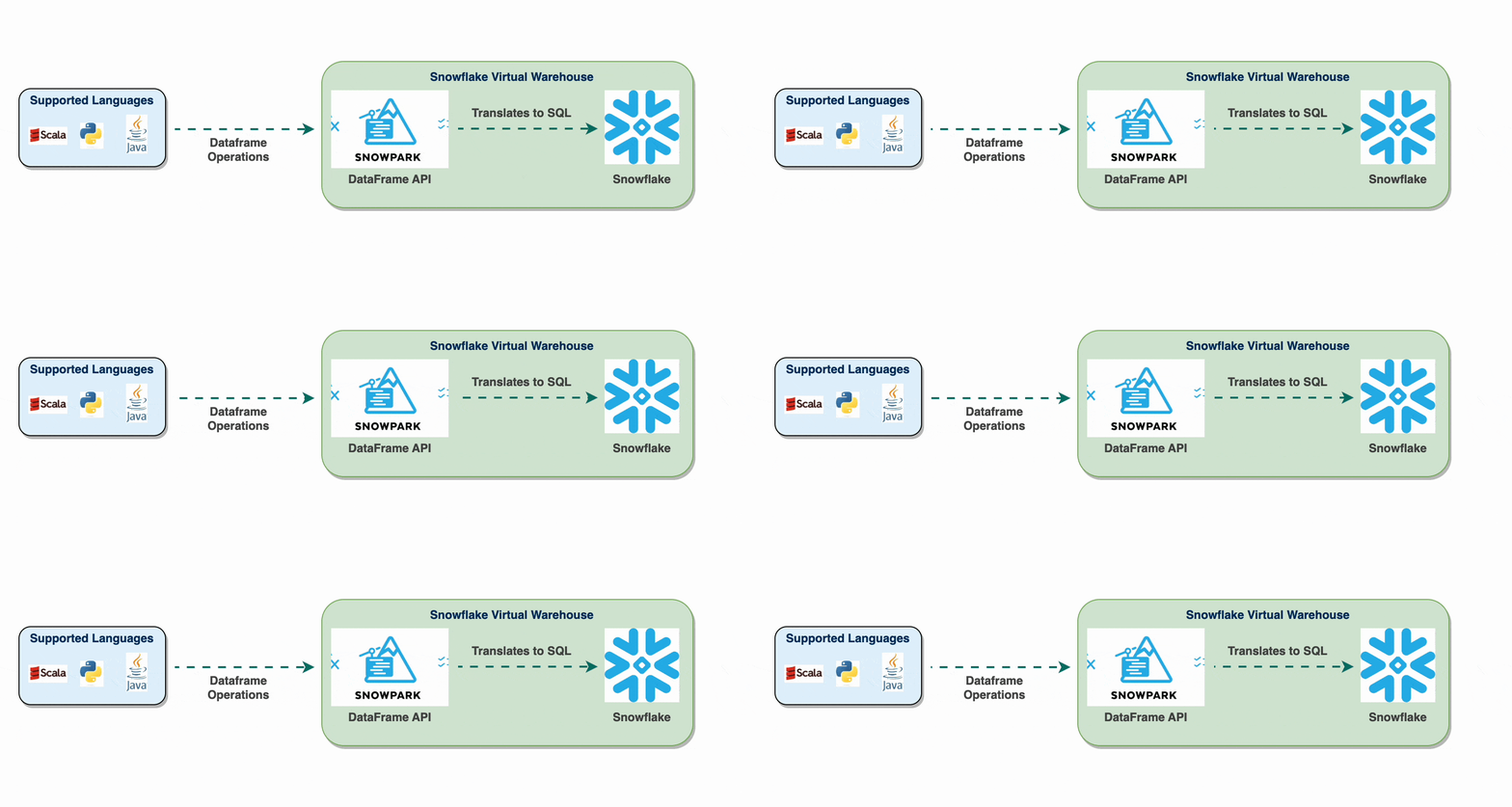
When you perform operations in Snowpark, they are lazily evaluated and converted into SQL queries only when an action is triggered. This design allows Snowflake to optimize the query before it runs, avoiding issues like data skew or shuffle overhead.
Example of Snowpark Dataframe Operations and Viewing SQL Translation
Here’s an example of using Snowpark and then viewing the SQL translation within Snowflake:
from snowflake.snowpark import Session
from snowflake.snowpark.functions import col

# Set up Snowflake session (replace with actual credentials)
session = Session.builder.configs({
    "account": "<account_id>",
    "user": "<user>",
    "password": "<password>",
    "warehouse": "<warehouse>",
    "database": "<database>",
    "schema": "<schema>"
}).create()

# Load data into a Snowpark DataFrame
df = session.table("LARGE_DATASET")

# Perform a simple data manipulation
df = df.with_column("new_column", col("existing_column") * 2)

# Show results, which triggers SQL translation and execution
df.show()
When you call df.show(), Snowpark translates the dataframe operations into SQL that runs within Snowflake. You can inspect this SQL query in Snowflake by navigating to the Query History tab in the Snowflake UI. This tab logs all executed queries, showing how your dataframe manipulation was translated into a SQL statement.
You’ll see that with_column("new_column", col("existing_column") * 2) has been converted to a SQL SELECT statement with the appropriate column operation.
Benefits of SQL Translation in Snowpark
Optimized Execution: Snowflake’s SQL engine optimizes queries, avoiding memory management and distributed processing issues found in other frameworks.
No Data Movement: The data remains within Snowflake, reducing latency and data transfer costs.
Elimination of Common Spark Issues: Since Snowpark is SQL-based, it bypasses issues like data skew, shuffle operations, and the need for in-memory storage management.
Summary of Key Differences
Pandas is a library for local, in-memory data manipulation, limited by local machine memory.
Spark is a framework for distributed data processing that uses clusters but requires tuning to handle data skew and shuffle overhead.
Snowpark is a library within Snowflake that translates dataframe operations into SQL, leveraging Snowflake’s optimization and avoiding distributed data processing challenges.
In essence:
Pandas is ideal for local, small data.
Spark scales out processing across clusters.
Snowpark provides an efficient, SQL-powered solution within Snowflake, converting operations into optimized SQL without memory or distributed processing issues.
Will Snowpark Replace Spark?
So, does this mean Snowpark will eventually replace Spark? Well, not exactly!
While Snowpark offers a fantastic way to work with dataframes in Snowflake and bypasses many traditional headaches, Spark isn’t going anywhere. Spark’s distributed processing power and flexibility across cloud and on-premise clusters still make it a heavyweight for big data.
Let’s just say they’ll both keep doing what they do best. Snowpark will keep things efficient in the Snowflake universe, while Spark continues to shine across its distributed landscapes.